
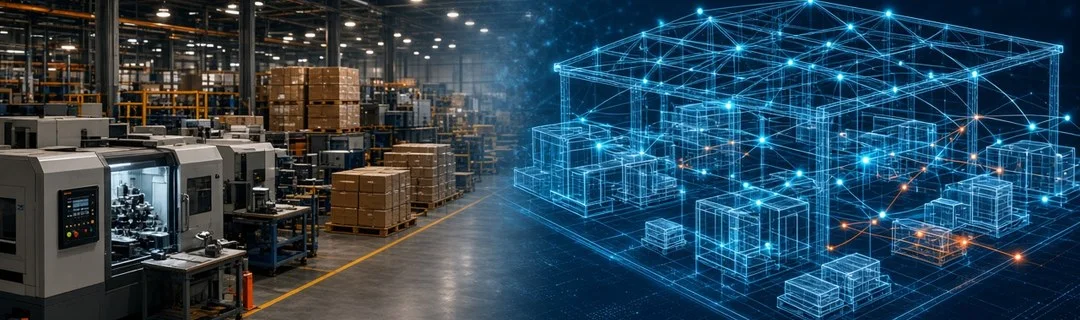
A digital twin is a living virtual copy of something real: a machine, a production line, a warehouse, a delivery fleet or even an entire dealer network. It is fed with data from the real operation and updates as things change, so you can see what is happening, test "what if" ideas and spot problems before they cost money.
For years this was a topic only for large manufacturers and infrastructure projects. Today, cheaper sensors, cloud dashboards and better software mean Digital Twins Technology: how businesses can create virtual replicas of their real-world operations is a practical question for Indian SMEs too. This guide explains what a digital twin really is, where it helps, and how a small or mid-sized business can start without a huge budget.
What Exactly Is a Digital Twin?
A digital twin has three parts:
- The physical thing – a machine, a store, a cold room, a truck, a process.
- The digital model – a software representation of that thing, its parts and how they behave.
- The data link – a regular flow of information (sensor readings, ERP entries, order data, GPS pings) that keeps the model in sync with reality.
The data link is what separates a digital twin from a simple 3D drawing or a static Excel model. A drawing shows how something should look. A twin shows how it is behaving right now, and how it might behave tomorrow.
Digital twin vs dashboard vs simulation
- A dashboard shows current numbers: orders today, machine status, stock levels.
- A simulation runs a model with assumed inputs to see possible outcomes.
- A digital twin combines both: it uses real, continuously updated data and lets you run simulations on top of it.
Many businesses already have pieces of this. If your billing software, stock register and dispatch sheet were connected into one model of your operation, you would be close to a basic twin.
Types of Digital Twins Businesses Use
1. Asset twins
A twin of a single machine or piece of equipment. A plastic moulding unit in Kanpur could track temperature, cycle time and vibration of each machine. When readings drift from normal, the system flags it, so maintenance happens before a breakdown stops production.
2. Process twins
A twin of a workflow, such as order-to-dispatch. For a spice or FMCG distributor, the twin follows every order from the salesman's booking, through approval and billing, to packing and delivery. You can see where orders get stuck and test changes, for example "what if billing runs twice a day instead of once?"
3. Facility twins
A twin of a building or site: a warehouse, a cold storage unit, a hotel or a hospital floor. It can show which racks are full, which zones are overheating, or where staff spend most of their walking time.
4. Network or supply chain twins
A twin of the wider system: suppliers, plants, depots, dealers and retailers. For a company selling through dealers across Uttar Pradesh, it helps answer questions like "if the Lucknow depot runs short, which nearby depot can cover, and how will delivery times change?"
Real-World Examples for Indian Businesses
Here are practical, small-scale ways Indian businesses can use the idea. None of them need a massive investment to begin.
- Leather or textile manufacturer: a twin of the cutting and stitching lines that shows output per shift and highlights the machine or stage that slows everything down.
- Cold storage operator: temperature and humidity sensors in each chamber feed a live model, with alerts when a chamber goes out of range, and a history that helps plan which produce goes where.
- FMCG distributor: a process twin of orders, dealer credit and dispatch that shows which dealers order late in the month, which routes are overloaded, and how a new scheme might change order volumes.
- Hospital or diagnostic chain: a facility twin of beds, equipment and staff rosters to plan admissions and avoid bottlenecks at peak hours.
- Construction or real estate developer: a building model linked to site progress updates, so delays and material shortages are visible before they become expensive.
In each case, the value does not come from a fancy 3D picture. It comes from connecting data that already exists in different places and making it easy to understand and act on.
Benefits of Digital Twins for SMEs
Fewer surprises
When you can see machine health, stock and order flow in one place, problems show up early. A twin turns "we found out when the customer called" into "we saw it coming last week".
Better decisions with less guesswork
Before buying a new machine, opening a new depot or changing delivery routes, you can test the idea on the twin first. It will not be perfect, but it is far better than deciding purely on gut feeling.
Planned maintenance instead of breakdowns
Asset twins help move from "repair when it breaks" to "service when the data says it is needed". For small factories, a single avoided breakdown during a busy season can matter a lot.
Clearer communication
Owners, managers and staff look at the same live picture. That reduces arguments over whose Excel sheet is correct.
Challenges to Plan For
Digital twins are useful, but they are not magic. Be realistic about these points:
- Data quality: if stock entries are late or wrong, the twin will be wrong too. Fix basic data discipline first.
- Connectivity: sensors and devices need reliable internet or a local network. In some industrial areas, this needs planning.
- Scattered systems: data often sits in Tally, Excel files, WhatsApp chats and paper registers. Connecting these is usually the biggest part of the work.
- Cost creep: trying to model everything at once is the fastest way to overspend. Start with one asset or one process.
- People and habits: staff must actually enter data and trust the system. Training and simple screens matter as much as technology.
How to Start: A Step-by-Step Approach
Step 1: Pick one painful problem
Choose a single area where delays, breakdowns or blind spots hurt you most. Examples: frequent machine stoppages, orders stuck between approval and billing, or stock mismatch between godown and books.
Step 2: List the data you already have
Most businesses already collect useful data in billing software, spreadsheets and registers. If your records are in Excel, a simple step such as exporting them with an Excel to CSV converter makes them easier to load into a new system for analysis.
Step 3: Fill the gaps with automation
Where data is entered by hand or passed around on WhatsApp, replace those steps with structured digital workflows. This is where business process automation creates the clean, timely data a twin needs. Our earlier guide on automating supply chain and dealer distribution shows what this looks like for distributors.
Step 4: Build the model and a simple live view
Start with a clear visual of the process or asset: stages, statuses, alerts and key numbers. A browser-based web application dashboard for your team works well here, because owners and managers can check it from any phone or laptop.
Step 5: Add "what if" analysis
Once the live data is reliable, add simple scenarios: what happens to dispatch times if order volume rises, or how output changes if one machine is down for a day.
Step 6: Expand step by step
After the first twin proves its value, extend it to the next machine, the next process or the next location. Many businesses find that a custom software system built around their own workflow is the right long-term base, because ready-made tools rarely match how Indian SMEs actually operate.
Do You Need IoT Sensors?
Not always. For asset and facility twins (machines, cold rooms, buildings), sensors are usually needed for temperature, power use, vibration or location. For process and network twins (orders, approvals, dispatch, dealers), the data often already exists in your software and just needs to be connected. Many SMEs get more value, faster, from a process twin than from an expensive sensor project.
Frequently Asked Questions
Is a digital twin only for large manufacturers?
No. Large companies use complex twins, but the core idea – a live, data-connected model of your operation – works at any size. SMEs can start with one machine or one workflow.
How is a digital twin different from ERP software?
ERP records transactions such as purchases, sales and stock. A digital twin uses that data (and sensor data, if available) to model how the operation behaves and to test changes. ERP can be one of the twin's data sources.
Do we need 3D models?
Not necessarily. 3D views help for buildings and production lines, but for many businesses a clear 2D process view with live statuses and alerts delivers most of the value.
How long does it take to build a first twin?
It depends on how clean and connected your data is. A focused process twin built on existing data can be much quicker than a sensor-heavy factory twin. Scoping one problem first keeps the timeline and cost under control.
Start With One Twin That Solves a Real Problem
Digital twins are less about futuristic visuals and more about seeing your business clearly and acting earlier. Begin with the process or asset that causes the most trouble, connect the data you already have, and grow from there.
If you would like help mapping your operation and planning a practical first step, talk to the PKD Ventures team about your digital twin idea. We are based in Kanpur and build custom software, web applications and automation for Indian businesses.